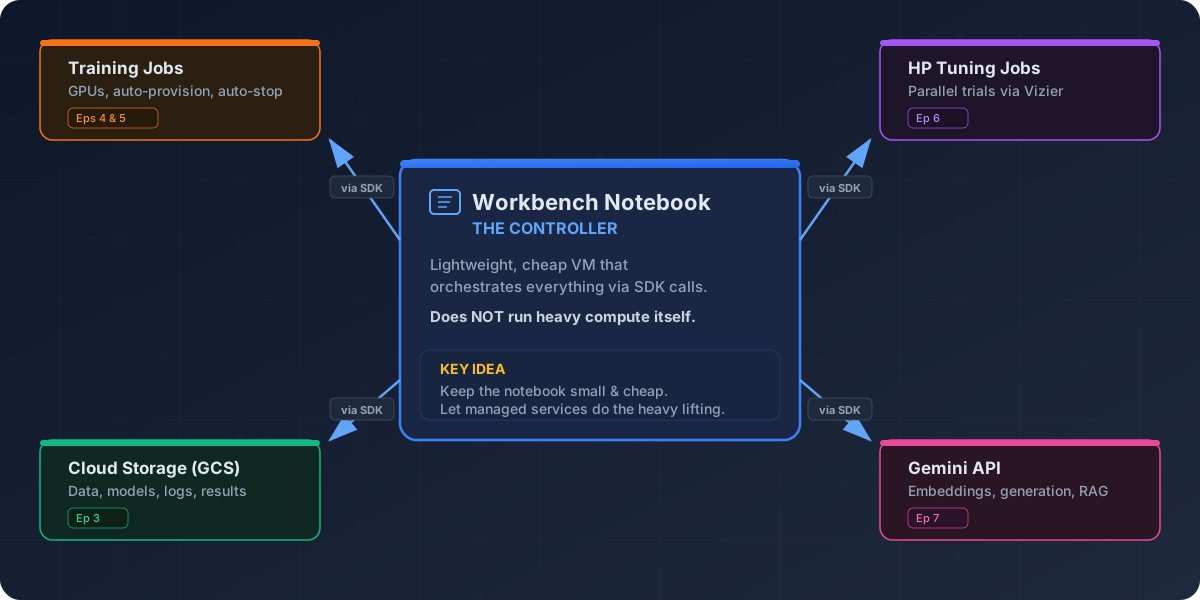
Image 1 of 1: ‘Architecture diagram showing a Workbench notebook at the center orchestrating four managed services via SDK calls: Training Jobs (Eps 4-5), HP Tuning Jobs (Ep 6), Cloud Storage (Ep 3), and Gemini API (Ep 7).’
Notebook as controller — overview of workshop
architecture
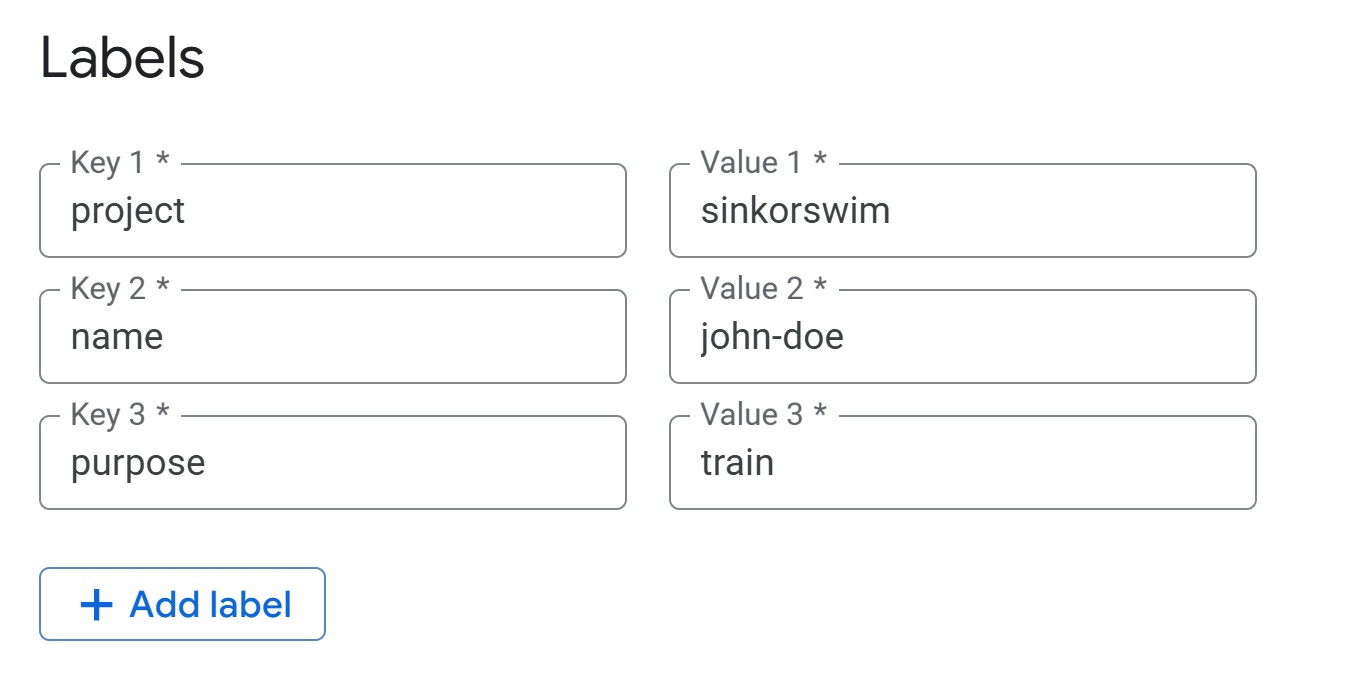
Image 1 of 1: ‘Screenshot showing required tags for notebook’
Required tags for notebook.
Figure 3
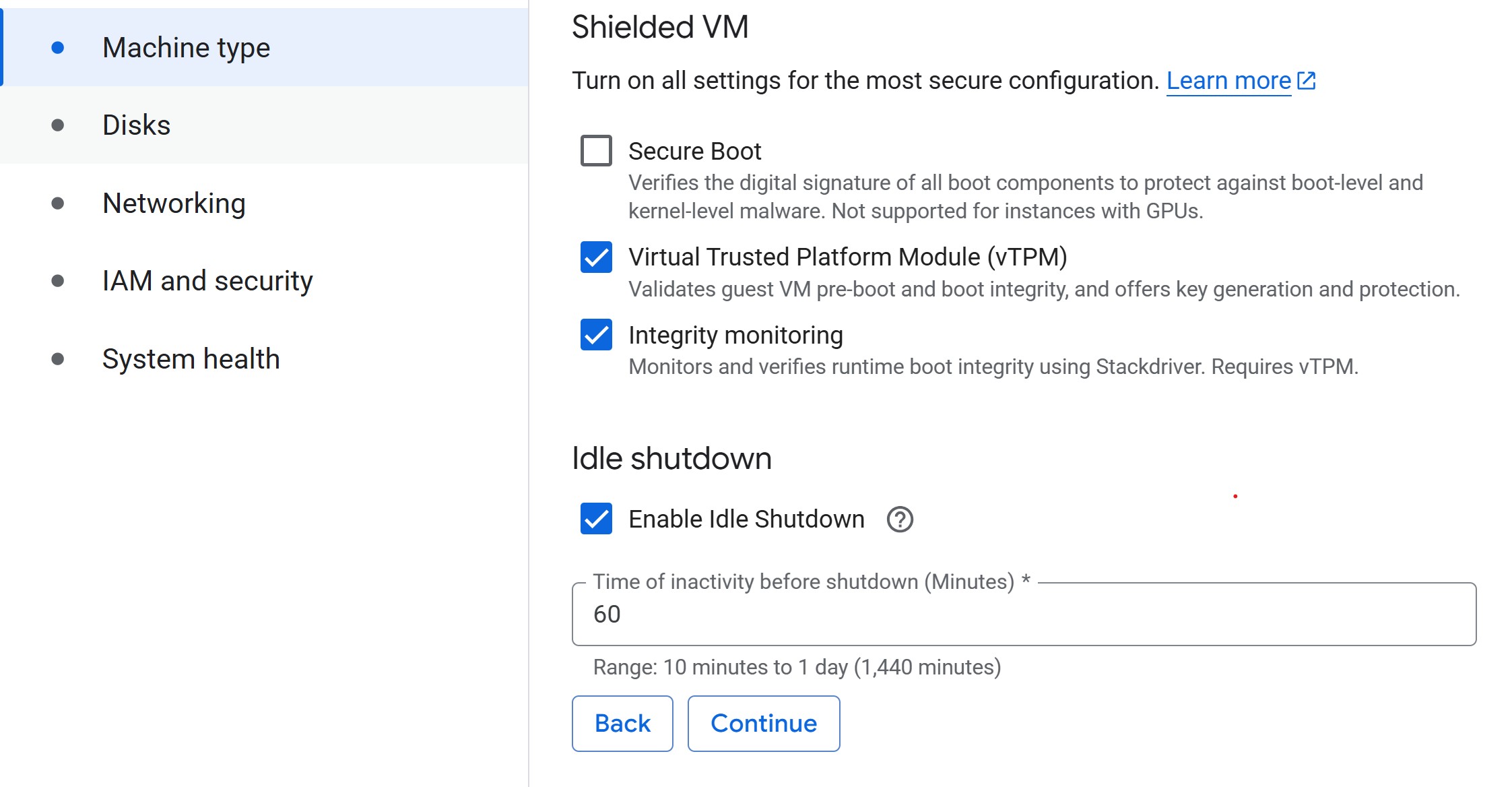
Image 1 of 1: ‘Set Idle Shutdown’
Enable Idle Shutdown
Figure 4
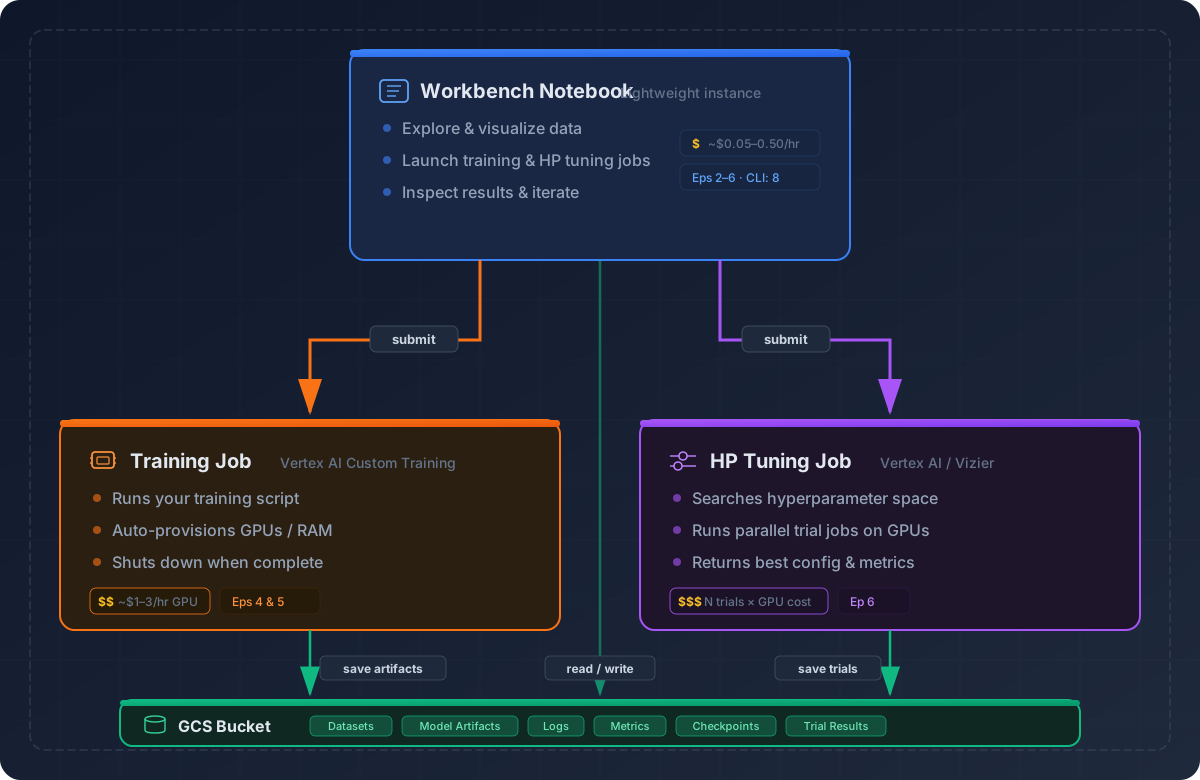
Image 1 of 1: ‘Architecture diagram showing how a lightweight Workbench notebook uses the Vertex AI SDK to launch training jobs and HP tuning jobs on powerful GPUs, with all artifacts stored in GCS.’
Image 1 of 1: ‘Architecture diagram showing how a lightweight Workbench notebook uses the Vertex AI SDK to launch training jobs and HP tuning jobs on powerful GPUs, with all artifacts stored in GCS.’
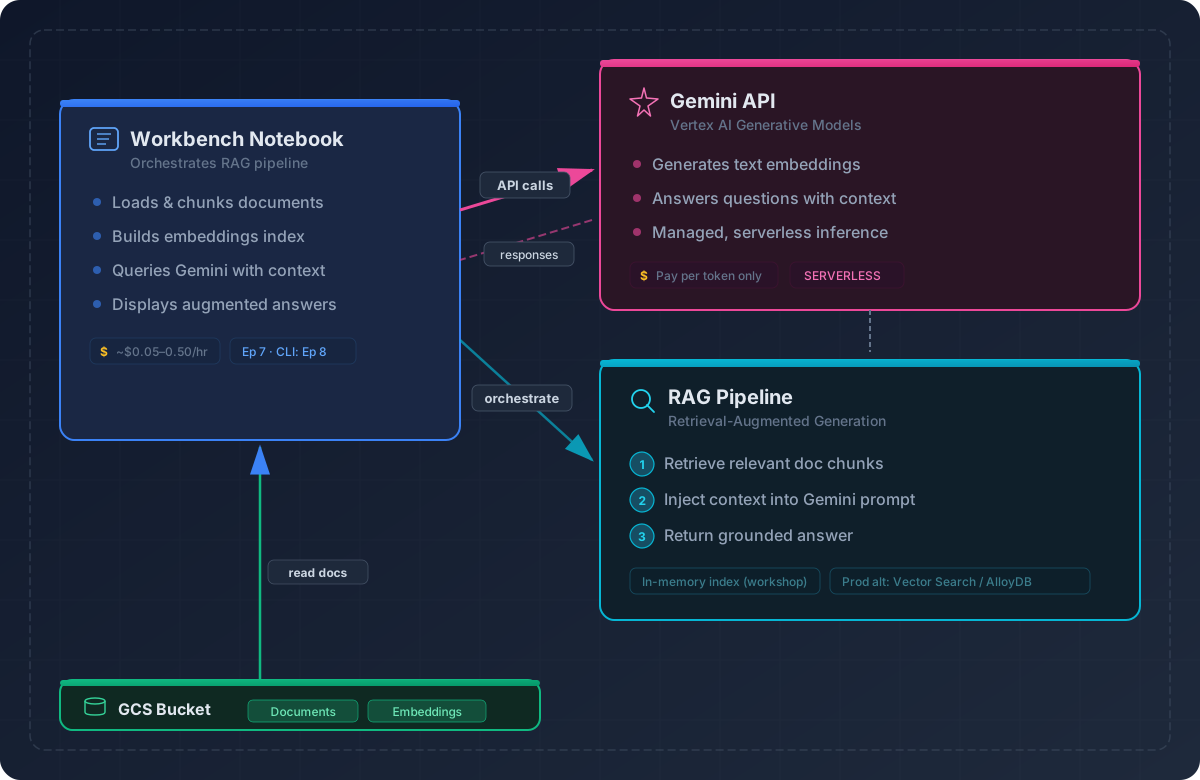
Image 1 of 1: ‘Architecture diagram showing the RAG pipeline: a Workbench notebook orchestrates document chunking, embedding via the Gemini API, and retrieval-augmented generation, with documents and embeddings stored in a GCS bucket.’